
Policies by user or group
Set browsing rules for people or groups according to your organization’s needs.
Access policiesApply policies by user or group, investigate activity in more detailed reports, and keep device protection beyond the primary network — without manual user registration.
User identification is available on Lumiun DNS Advanced.
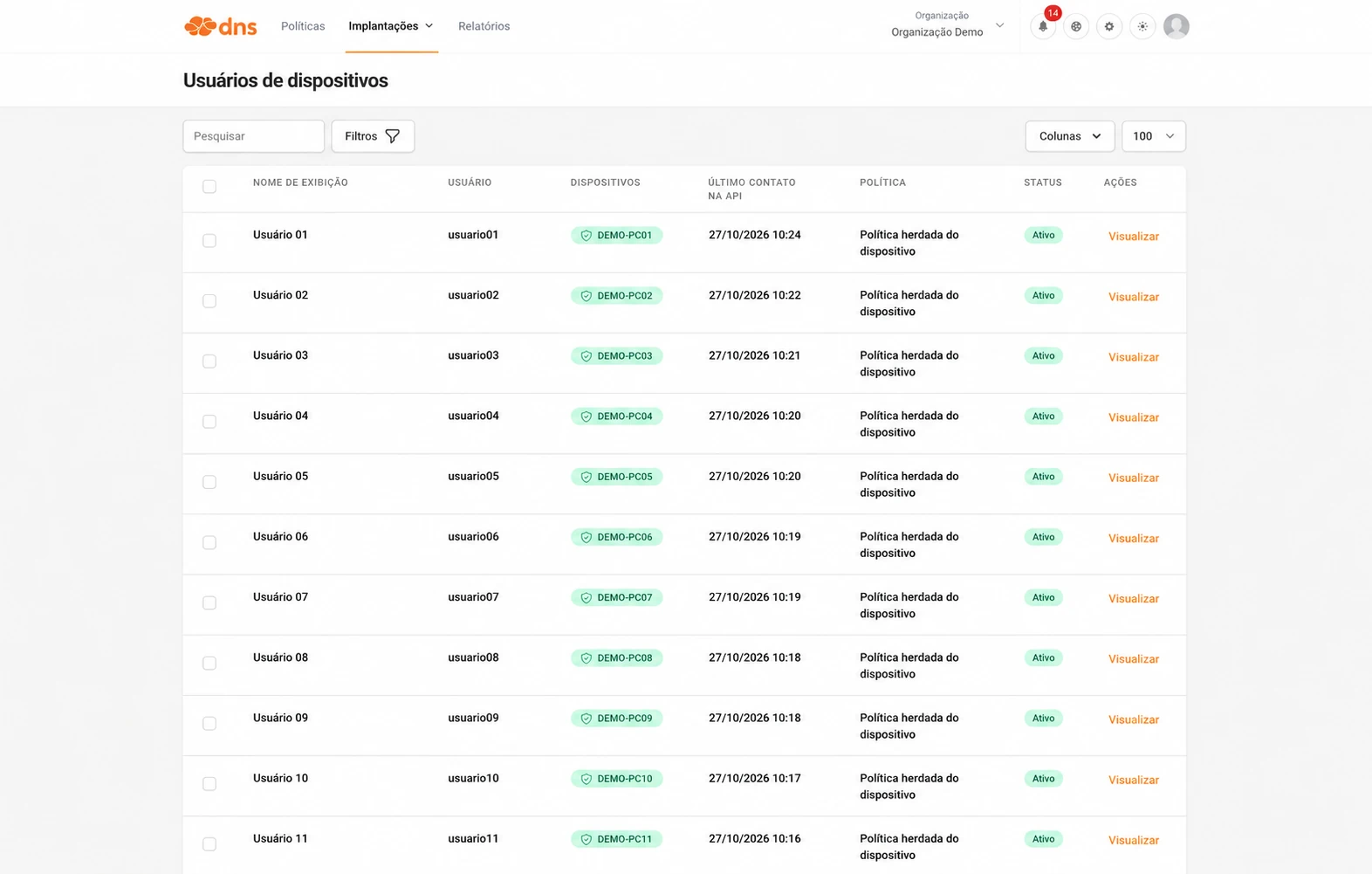
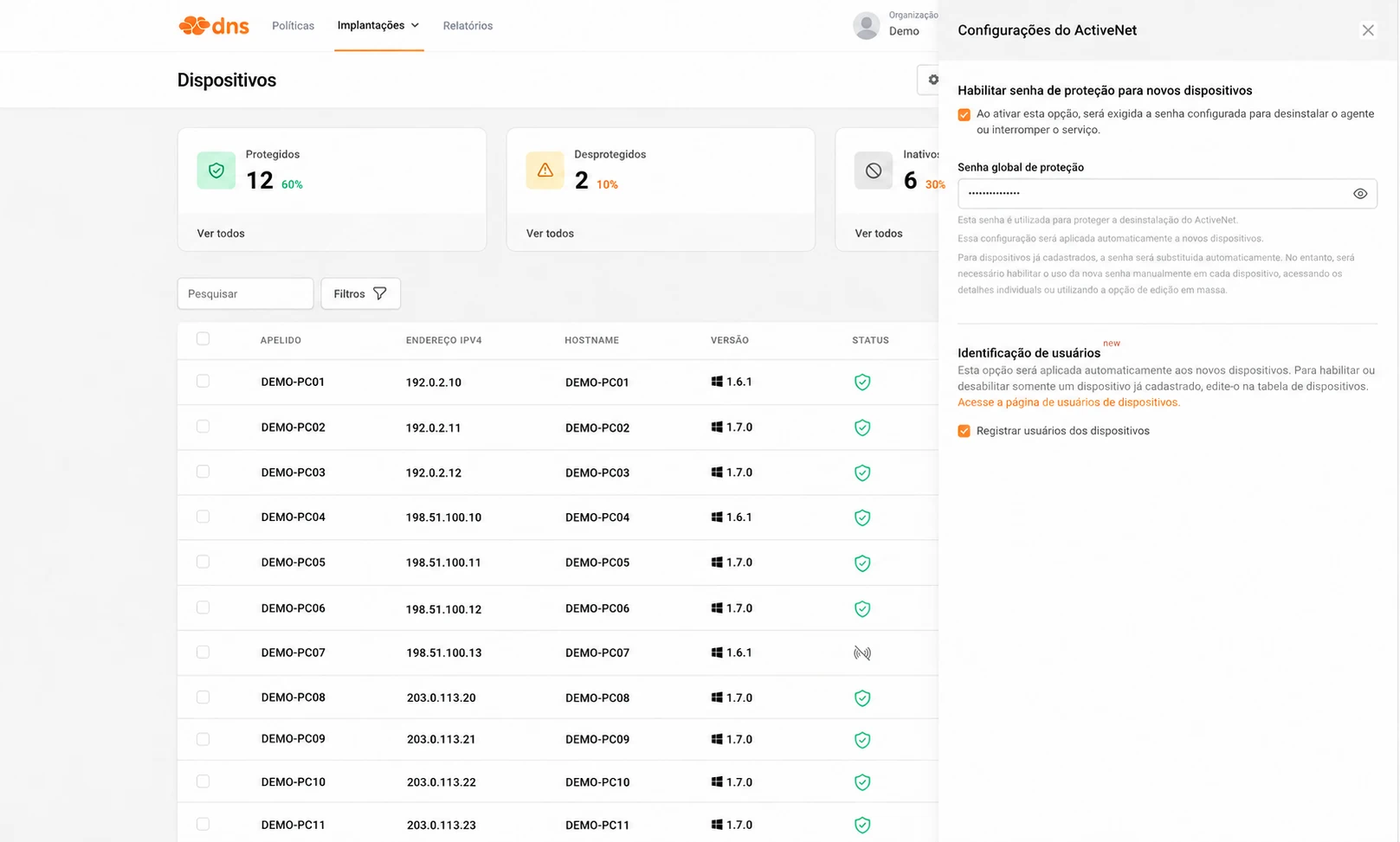
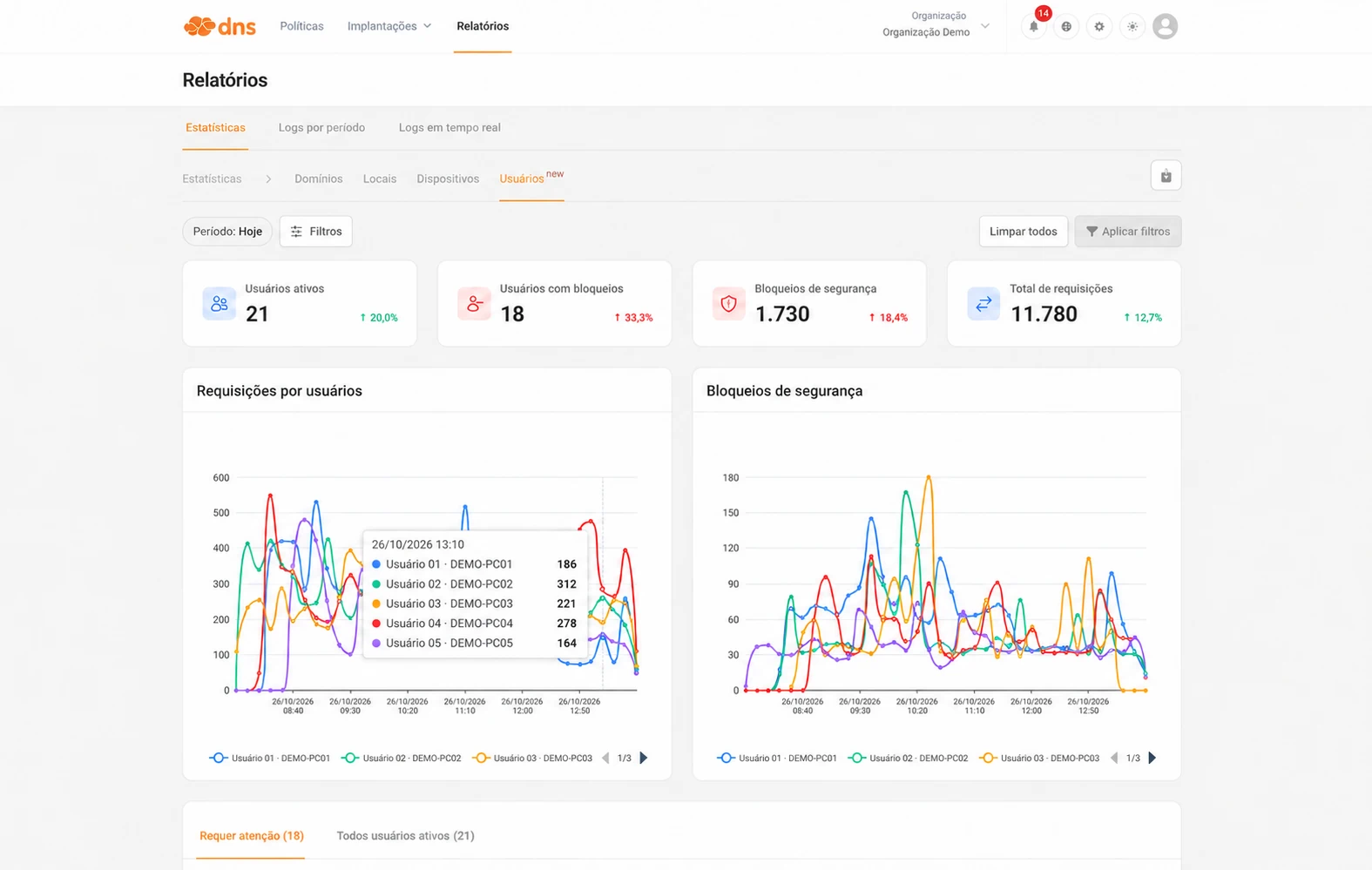
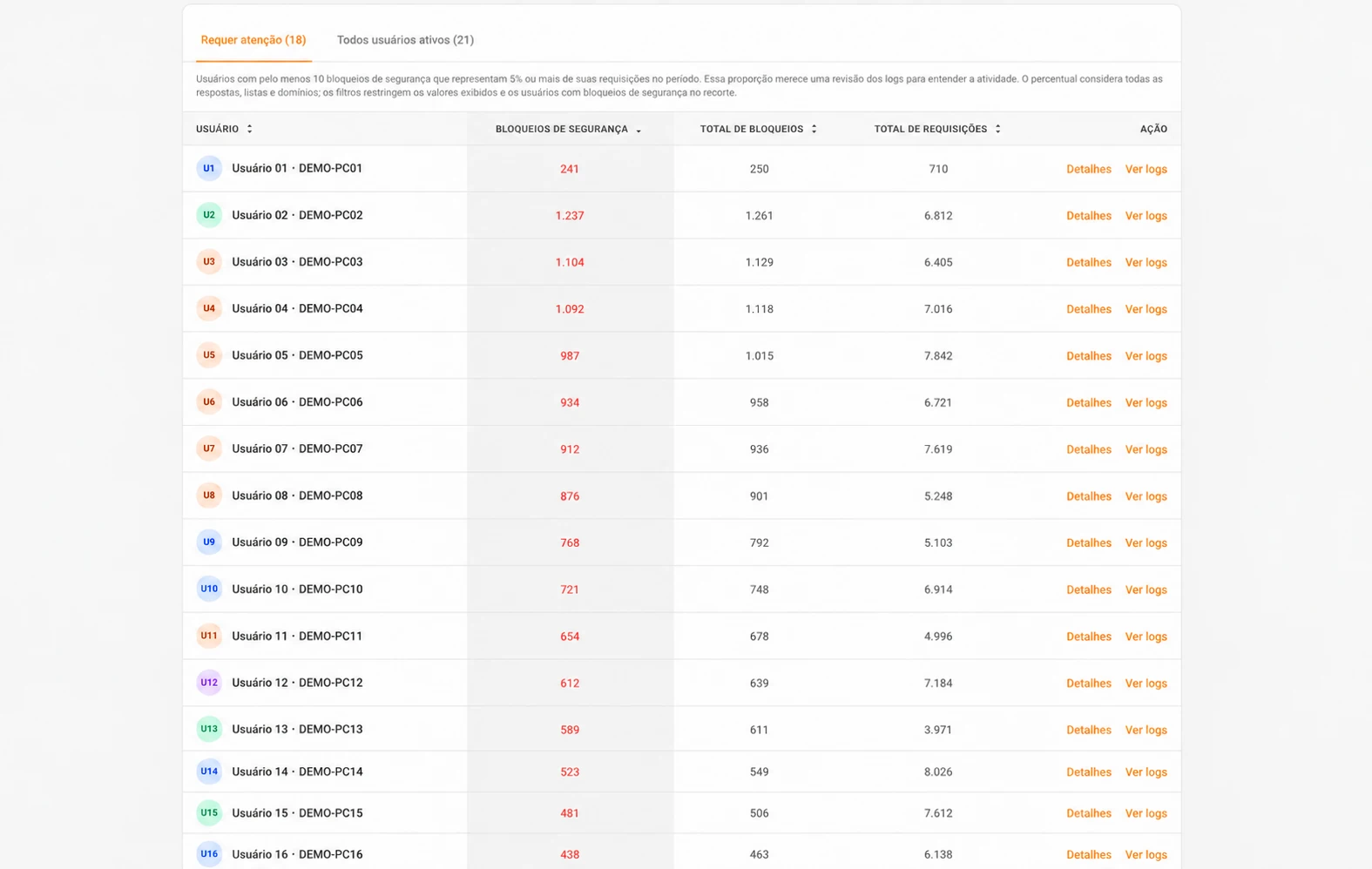
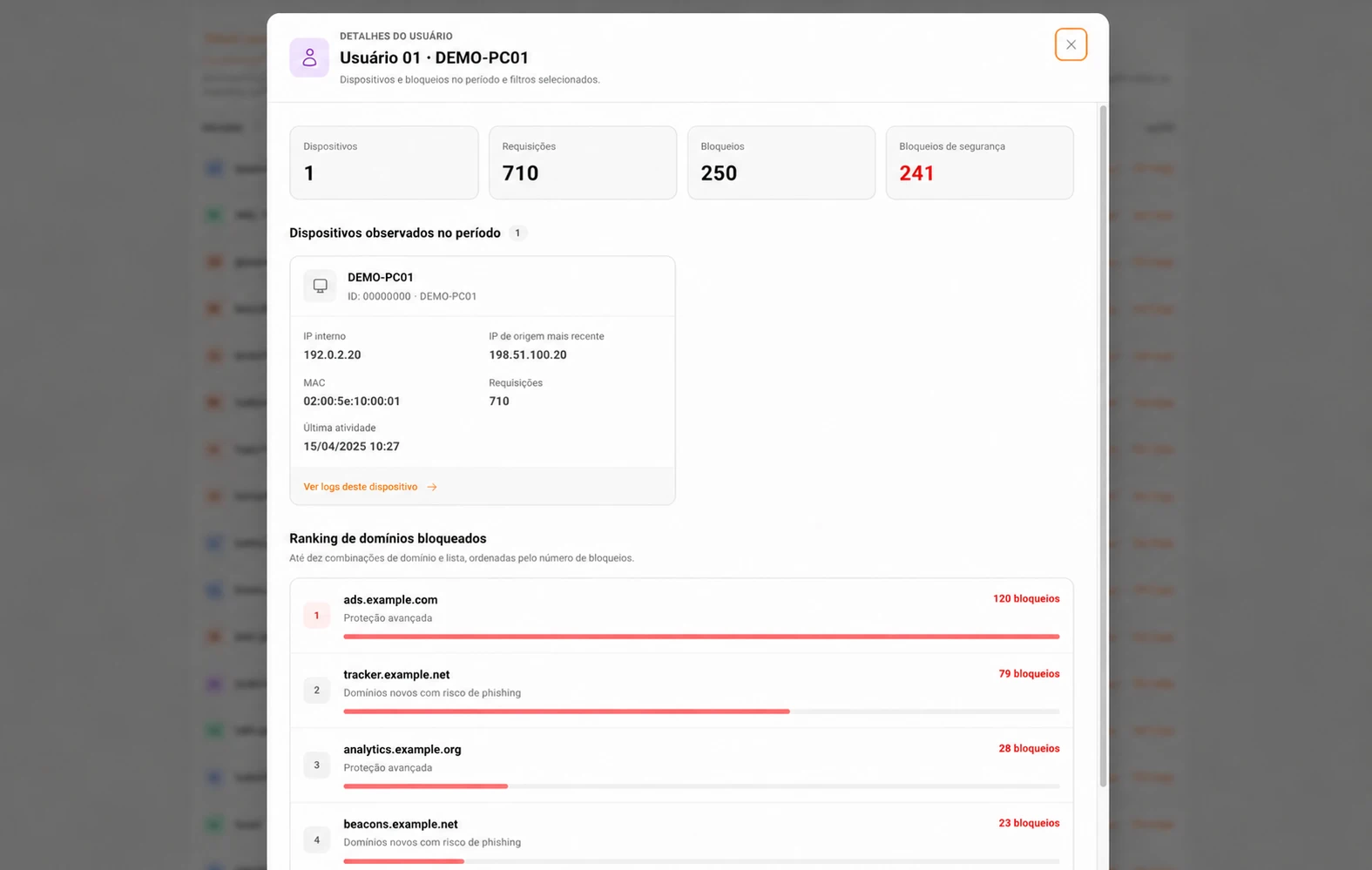
Use session identity to apply browsing rules with more granularity and context.
Set browsing rules for people or groups according to your organization’s needs.
Access policiesWith ActiveNet installed and connected to the service, DNS protection follows the device when it is used on other networks.
Groups and devicesReview DNS requests, security blocks, and related devices. Open user-contextualized logs to investigate queried domains and understand each event.
ReportsInstall or update ActiveNet Agent for Windows to version 1.7.0. This version is available on all plans.
In the dashboard, enable “Register device users”. The setting applies to new devices; for existing devices, enable it in their details.
Open Deployments > Device users in the dashboard to view session users and related devices.
FAQ
Automatic user identification is available on Lumiun DNS Advanced.
Download ActiveNet Agent from the dashboard and install it on Windows devices.
No. Install the agent and enable “Register device users” in the dashboard. Session users are then identified automatically. For devices already registered, enable the setting in device details.
Yes. With ActiveNet installed and connected to the service, DNS protection follows the device across different networks.
The ActiveNet Agent version covered on this page is for Windows.
Reports show DNS queries, blocks, related devices, and access to logs contextualized by user.
Smart tools that reduce network management time and increase your company's security
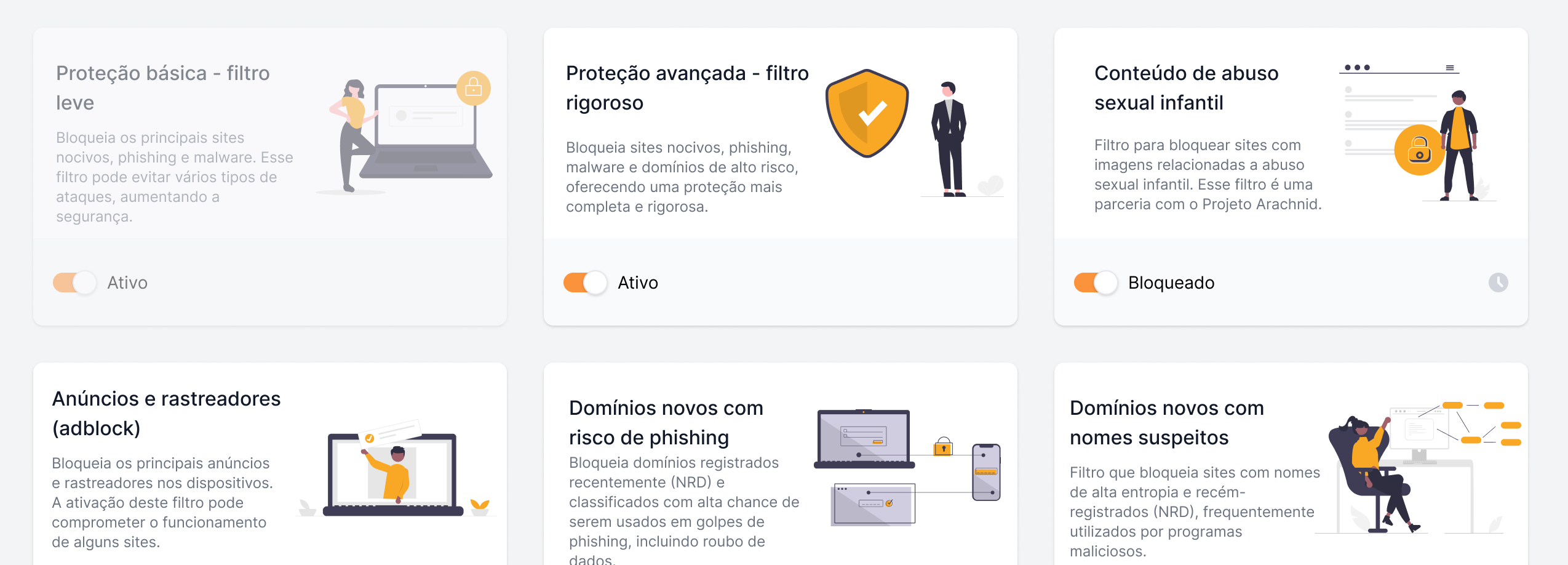
Protect your network and maximize team productivity
Set up custom policies to block sites, limit distractions, and protect against cyber threats.
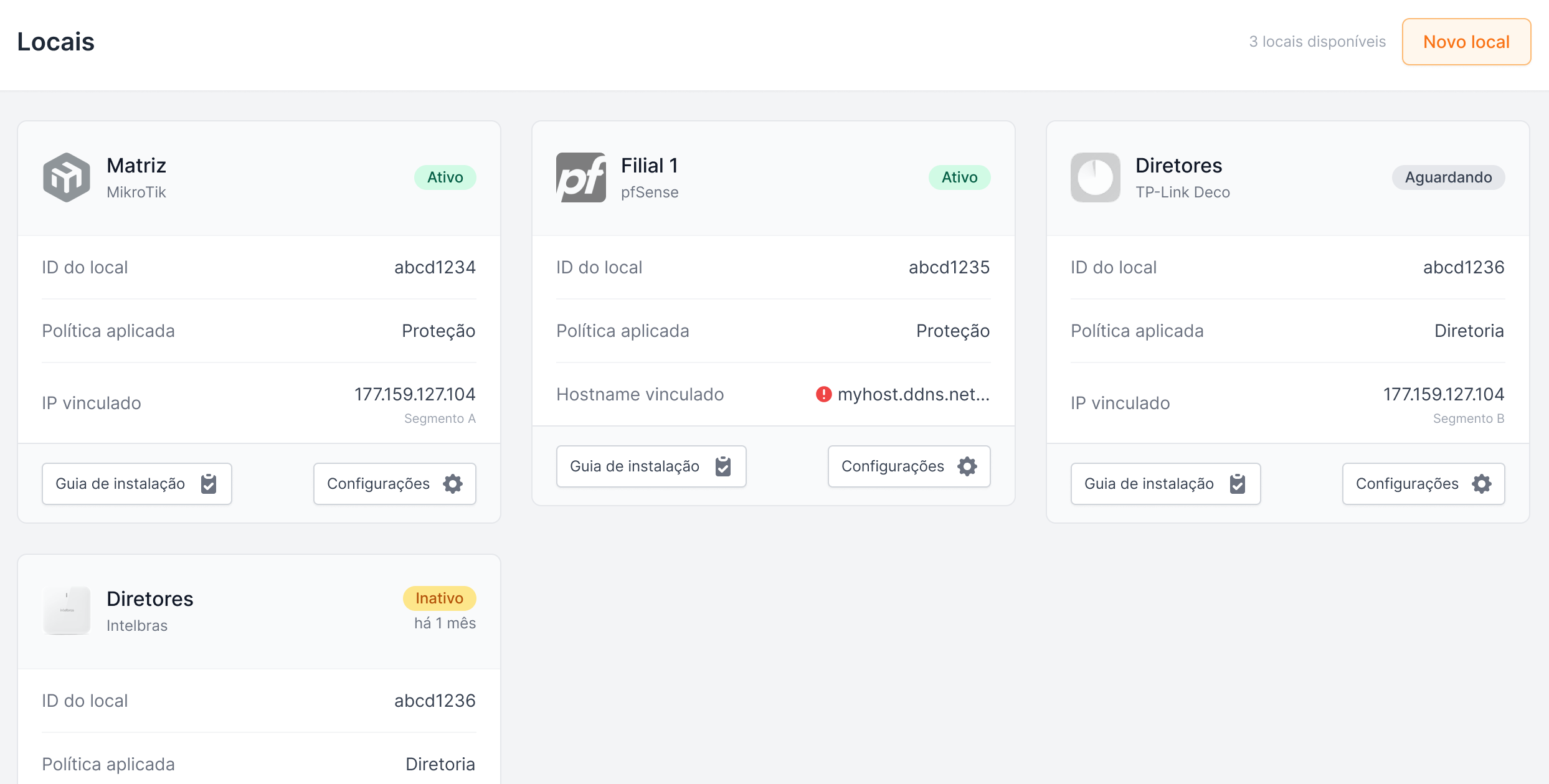
Secure and efficient connections at all points of your network
Manage your infrastructure locations and provide a secure and fast navigation with the latest technologies.
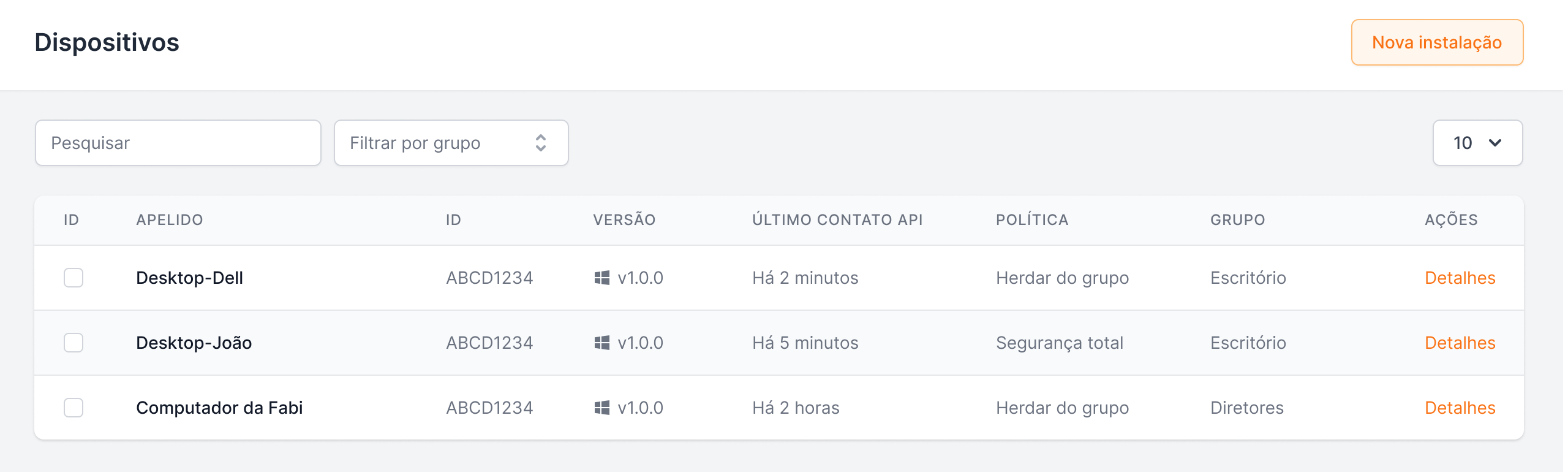
Standardize security and streamline the management of multiple teams or units
Ideal for organizations with multiple sectors or branches, group management allows you to apply specific rules, automate settings, and maintain full visibility over devices.
Apply policies and view reports by user
Install ActiveNet Agent 1.7.0 for Windows and enable “Register device users”: session users are then identified without manual setup.
Automatic identification is available with Lumiun DNS Advanced. ActiveNet Agent 1.7.0 for Windows is available on all plans.
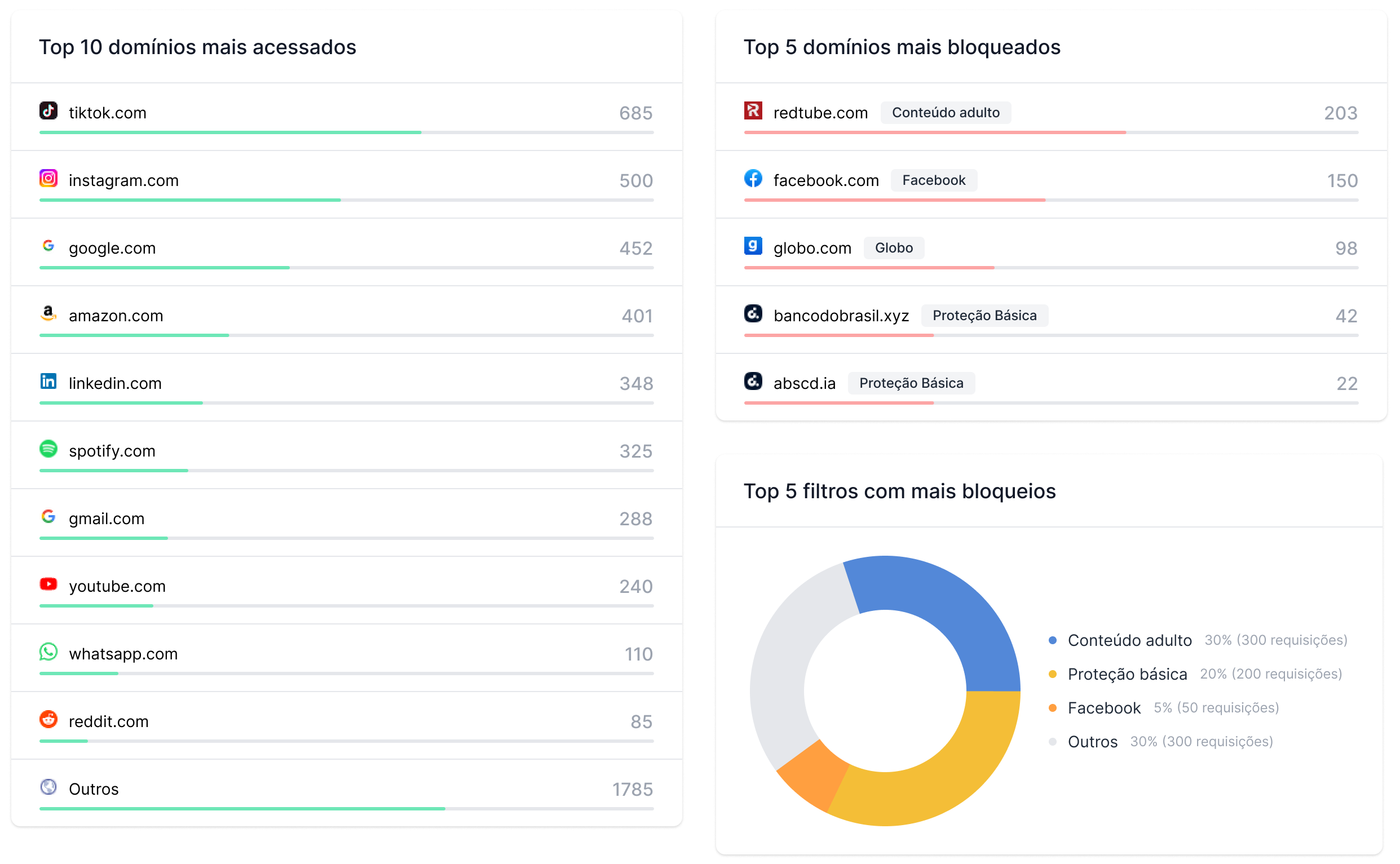
Make informed decisions with detailed and real-time data
View, analyze, and export information about internet usage and network security threats.
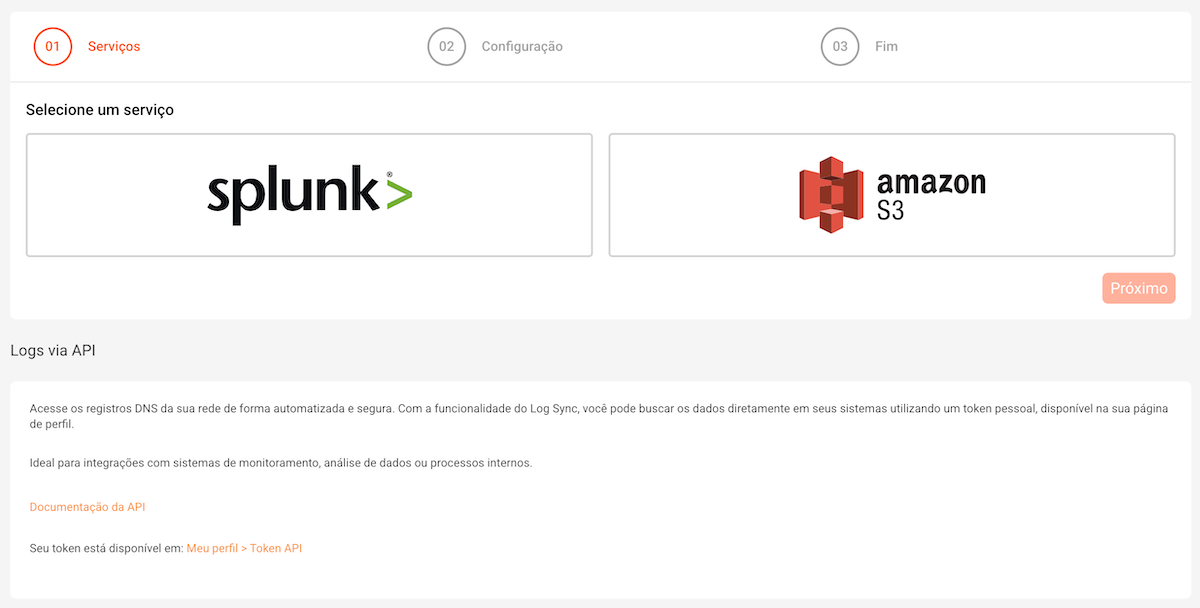
Complete integration and governance of DNS logs!
Advanced log export to Splunk, AWS S3, and open API to connect Lumiun DNS to your SOC.

A transparent and professional experience when blocking unwanted access
Customize the page displayed when a blocked site is accessed, reinforcing your brand and communication.
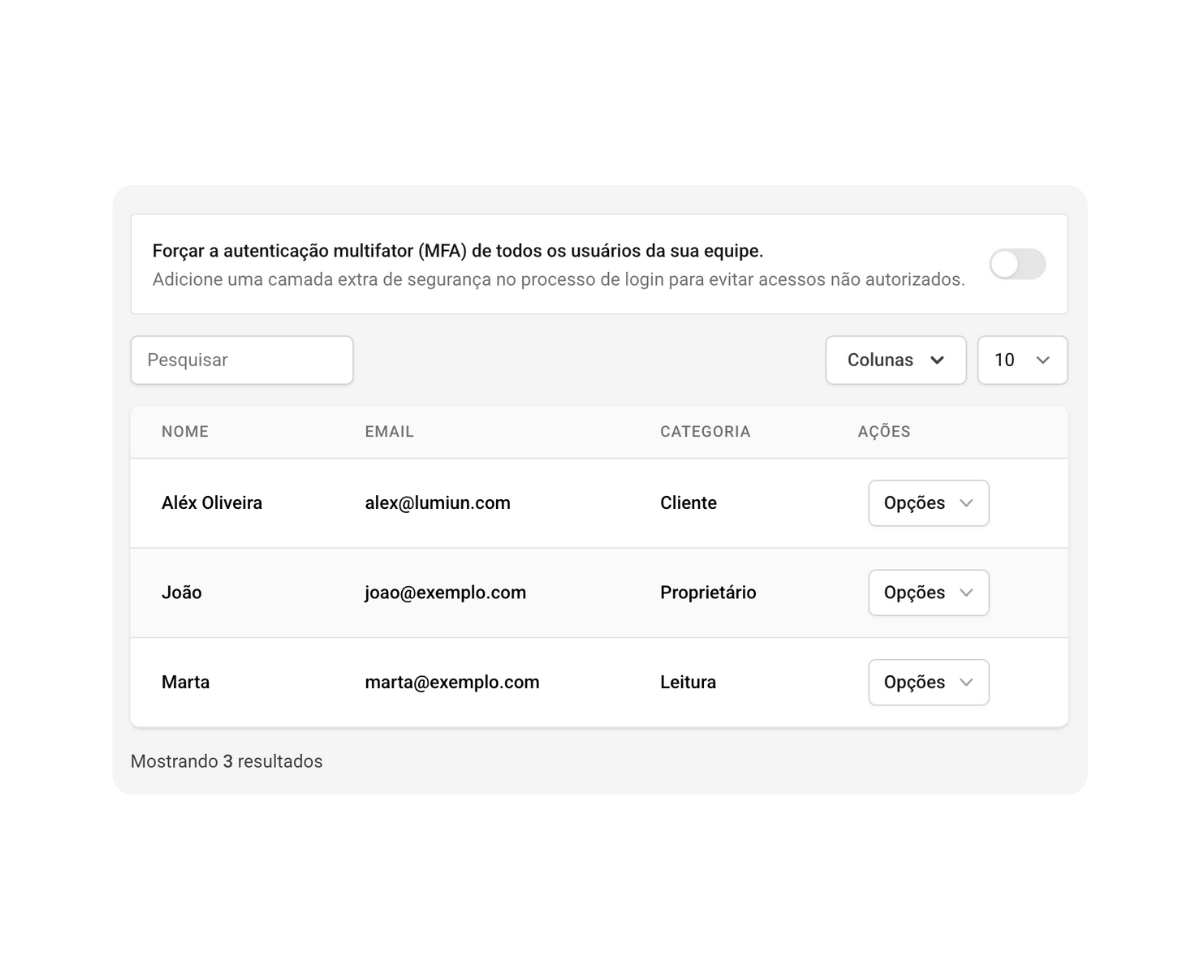
Manage permissions and keep your platform secure
Organize your team of administrators and ensure control over access to the platform.
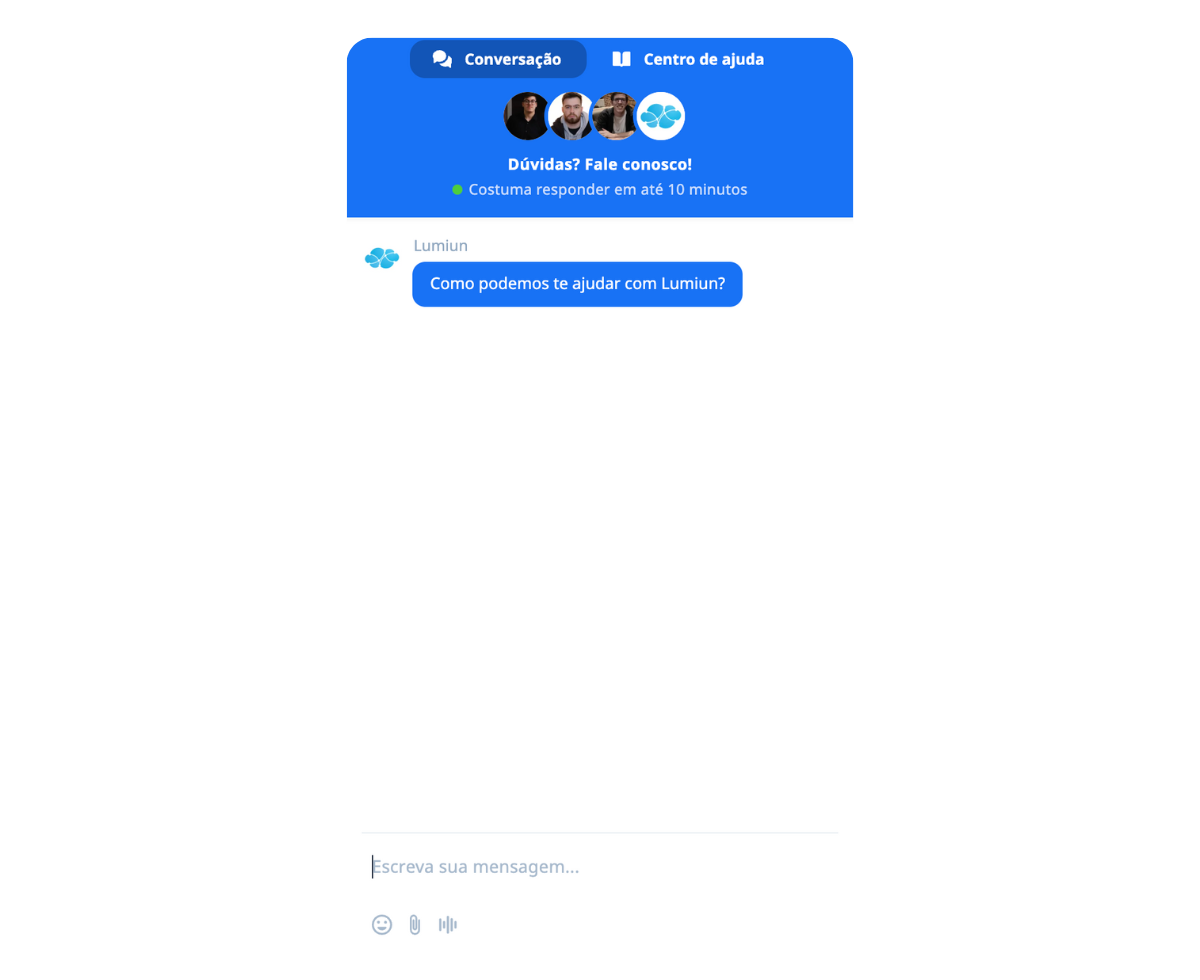
Count on experts to ensure the best performance of your network
Our team is available to answer questions and help with advanced configurations, with full support in Portuguese (PT-BR).
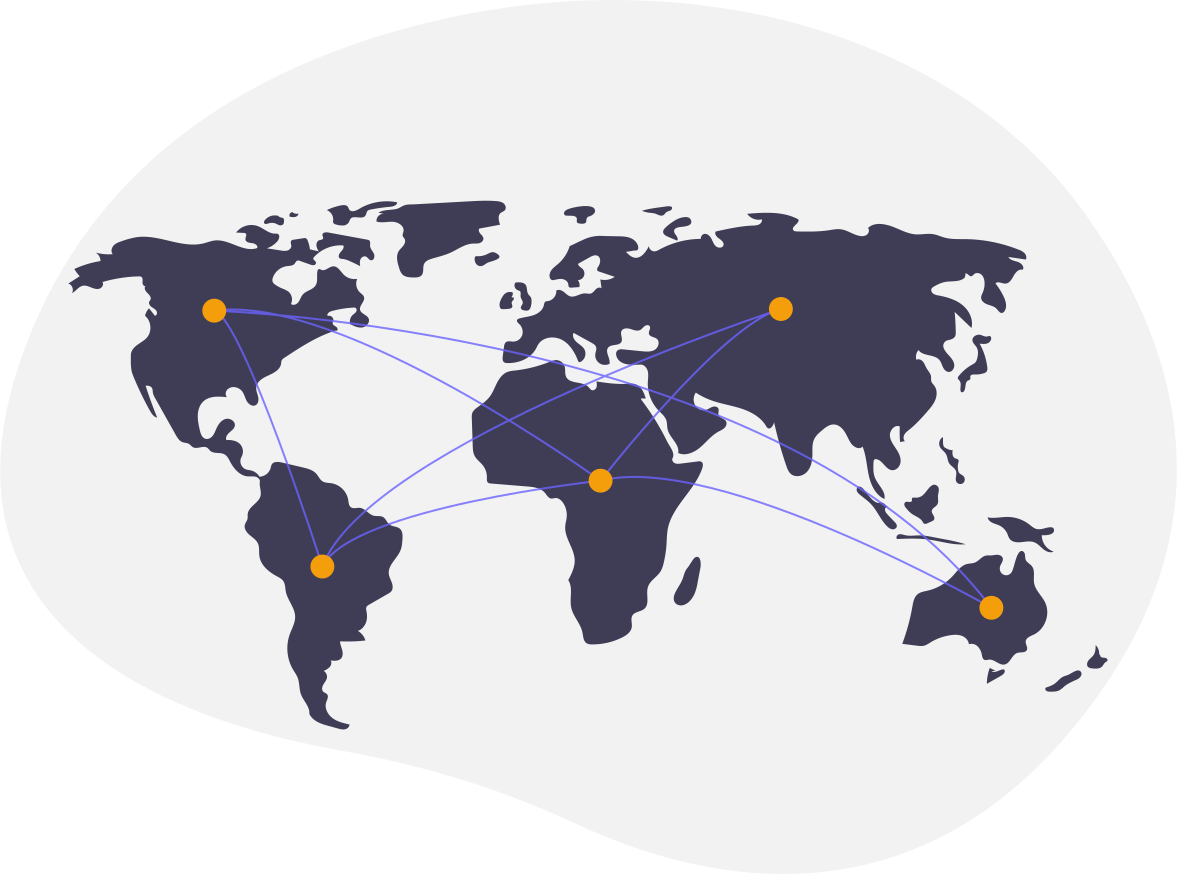
Speed and availability for global networks
Use our Anycast network to improve the performance and resilience of DNS at all your access points.
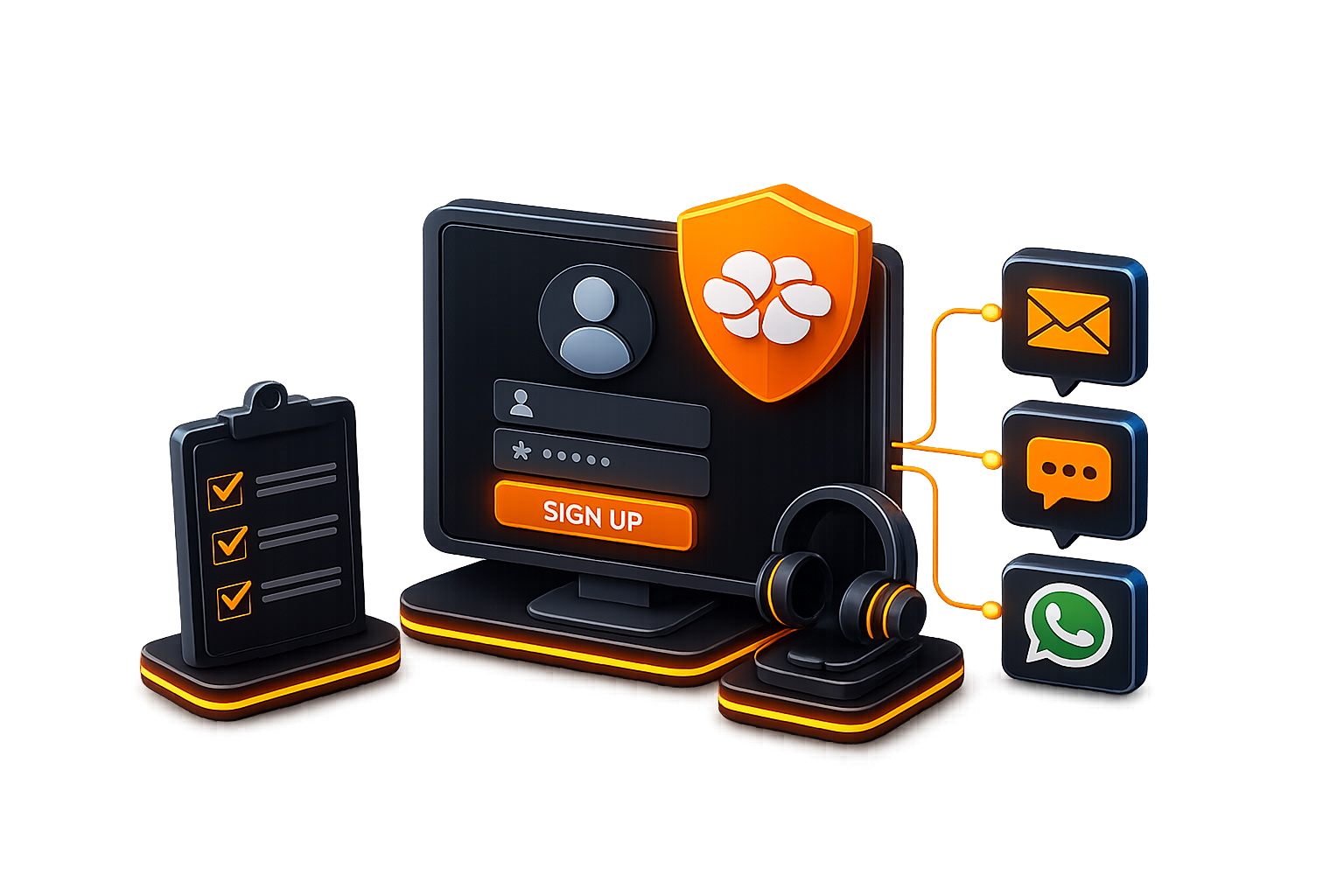
Sign up for an account and get support from our analysts via email, chat, or WhatsApp for configuration and monitoring.
No credit card required
“It is like having an intelligent digital guardian that protects students, teachers, and the entire school network from harmful content and distractions, while keeping the focus on what truly matters: learning.”Read story
“The simplicity and effectiveness of Lumiun DNS transformed our approach to security and access control in schools.”Read story