

DNS server
For teams that want to add a DNS security layer to the network, block malicious domains, and centralize policies without relying only on the router or firewall.
Enable a DNS web content filter in minutes. Block site categories, reduce scam risks, and gain visibility into what happens on the network — with group policies and reports.
Lumiun DNS is a DNS management and security solution that provides protection against digital threats and optimizes internet usage in corporate and institutional environments.
DNS filtering is a practical way to control what can or cannot be accessed on the company internet. It blocks sites and categories before the page loads — reducing risks and distractions.
With Lumiun DNS, you apply rules by department, unit, or device (e.g., finance, support, visitors), with exceptions and schedules. Ideal for SMBs, schools, branches, and MSPs.
How the DNS filter works in short:
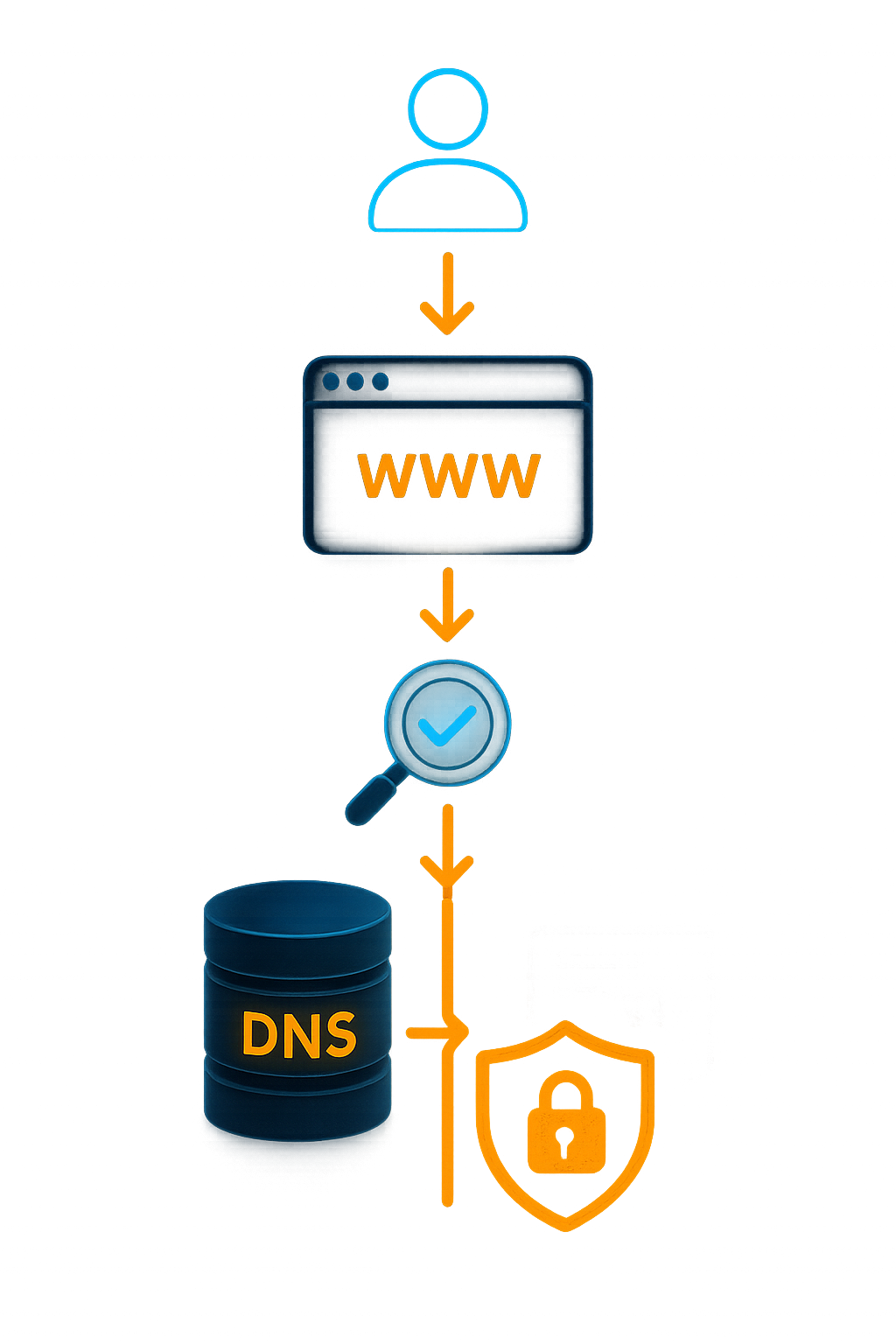
How does the DNS filter work in Lumiun DNS?
You point your network (router, firewall, or server) or install the agent on devices. From there, each access goes through Lumiun DNS: if the site is in a blocked category or is malicious, access is blocked automatically. You monitor everything in reports and adjust rules when needed.
Flexible enforcement:









DNS filter
Combine security, productivity, and custom rules to control web content with precision.
Security
Blocking threats and malicious domains.
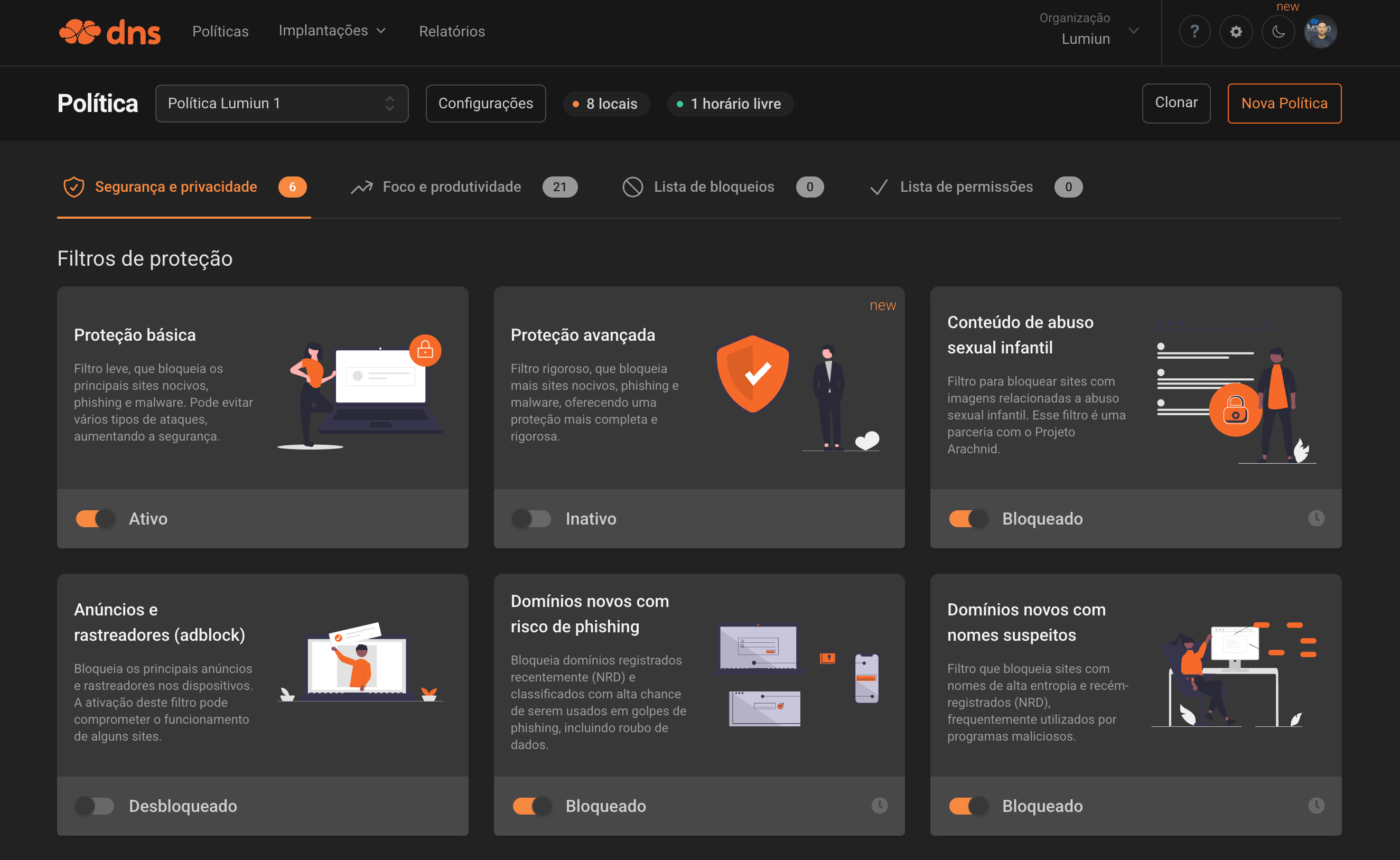
Blocks harmful sites, phishing, and malware. This filter prevents various types of attacks, increasing security.
Blocks sites containing videos or images of child sexual abuse. This filter is in partnership with the Arachnid Project.
Bloqueia os principais anúncios e rastreadores nos dispositivos. A ativação deste filtro pode comprometer o funcionamento de alguns sites.
Domains frequently involved in unauthorized use of devices for cryptocurrency mining.
Blocks recently registered domains (NRD) and classified with high chance of being used in phishing scams, including data theft.
Filters sites with high entropy names and newly registered domains (NRD), often used by malicious programs.
Domains that are no longer controlled by the original owner or are for sale. The content of these sites may be misleading to non-technical users.
Blocks access to generative AI services that may pose risks of data leakage or misuse. Manually allow the services you want on your allowlist.


Enable SafeSearch on Google, Bing, and YouTube to keep adult content out of your search results.
Productivity and focus
Control distractions and inappropriate categories.
Social networks, messaging, games, video, music, shopping, news, sports, entertainment, and technology.
With a simple click, you can block adult content sites such as pornography and violence.
Blocks gambling and gaming websites, preventing potentially harmful and unregulated activities on your network.
Blocks websites, P2P protocols, streaming sites, and generic video hosting services used for illegal distribution of copyrighted content.
Free choice and controls
Customize blocks by lists and schedules.
Adicione domínios específicos ou importe listas completas para reforçar o filtro de conteúdo web.
Create exceptions by time or day of the week for specific categories and sites.
Need something different?
Add any domain manually, import ready lists, and combine exceptions by group or device.
DNS filter
Reduce incidents with automatic DNS blocking of malicious domains.
Block categories like adult content, betting, social networks, and streaming with a few clicks.
Apply different rules by department and create exceptions/free-time schedules when needed.
It works by pointing the network DNS or installing an agent on devices.
See accessed domains, blocks, and trends by group/device.
Replicate policies and keep everything centralized in a single dashboard.
DNS filter
DNS filter
Filtro DNS é uma forma simples de controlar a navegação: ele analisa o domínio acessado e bloqueia categorias e sites maliciosos antes da página abrir.
Na prática, sim. O filtro DNS é uma das formas mais rápidas de aplicar um filtro de conteúdo web, bloqueando o acesso já na consulta de domínio.
Categorias (adulto, apostas, redes sociais, streaming etc.), sites específicos e domínios maliciosos (phishing e malware), com listas de permissão e exceções.
Não. Você pode apontar o DNS no roteador/firewall/servidor ou instalar o agente nos dispositivos.
Sim. Você cria políticas por grupo (ex.: financeiro, atendimento, visitantes), com exceções e horários de liberação quando fizer sentido.
Uma página de bloqueio informando que o site foi restringido pela política. O registro também aparece no painel para auditoria/gestão.
Sim. Você acompanha tentativas bloqueadas, domínios acessados e tendências por grupo/dispositivo.
Em geral, poucos minutos: criar a conta e apontar o DNS da rede (ou instalar o agente nos dispositivos).
If this is not exactly the scenario you are looking for, review the other paths to understand where Lumiun DNS fits best in your operation.
For teams that want to add a DNS security layer to the network, block malicious domains, and centralize policies without relying only on the router or firewall.

For companies that need to restrict social media, gambling, streaming, or unproductive sites and keep rules by team, location, or schedule.
Sign up for an account and get support from our analysts via email, chat, or WhatsApp for configuration and monitoring.
No credit card required
“It is like having an intelligent digital guardian that protects students, teachers, and the entire school network from harmful content and distractions, while keeping the focus on what truly matters: learning.”Read story
“The simplicity and effectiveness of Lumiun DNS transformed our approach to security and access control in schools.”Read story