

Block websites
For companies that need to restrict social media, gambling, streaming, or unproductive sites and keep rules by team, location, or schedule.
Use Lumiun DNS as a DNS security layer to block malicious domains, phishing, malware, and unwanted website categories before access starts.
Quick setup. Start applying browsing policies using the DNS layer.
Block domains associated with phishing, malware, ransomware, and other online threats.
Define categories, applications, blocklists, and allowlists according to the organization's policy.
Manage policies, locations, devices, and reports in a simple, centralized dashboard.
Adapt access rules by environment, usage profile, or managed client.
A DNS server is responsible for translating website names, such as example.com, into addresses that devices use to find those services on the internet.
The problem is that, without a security layer, DNS only resolves the address. It does not help decide whether that domain is safe, malicious, inappropriate, or incompatible with company policy.
This is where Lumiun DNS comes in. It acts as a DNS security layer and browsing filter, checking the domain before the website loads. If the address is associated with a threat or a blocked category, access can be prevented before the connection proceeds.
Lumiun DNS is a DNS management and security solution that provides protection against digital threats and optimizes internet usage in corporate and institutional environments.
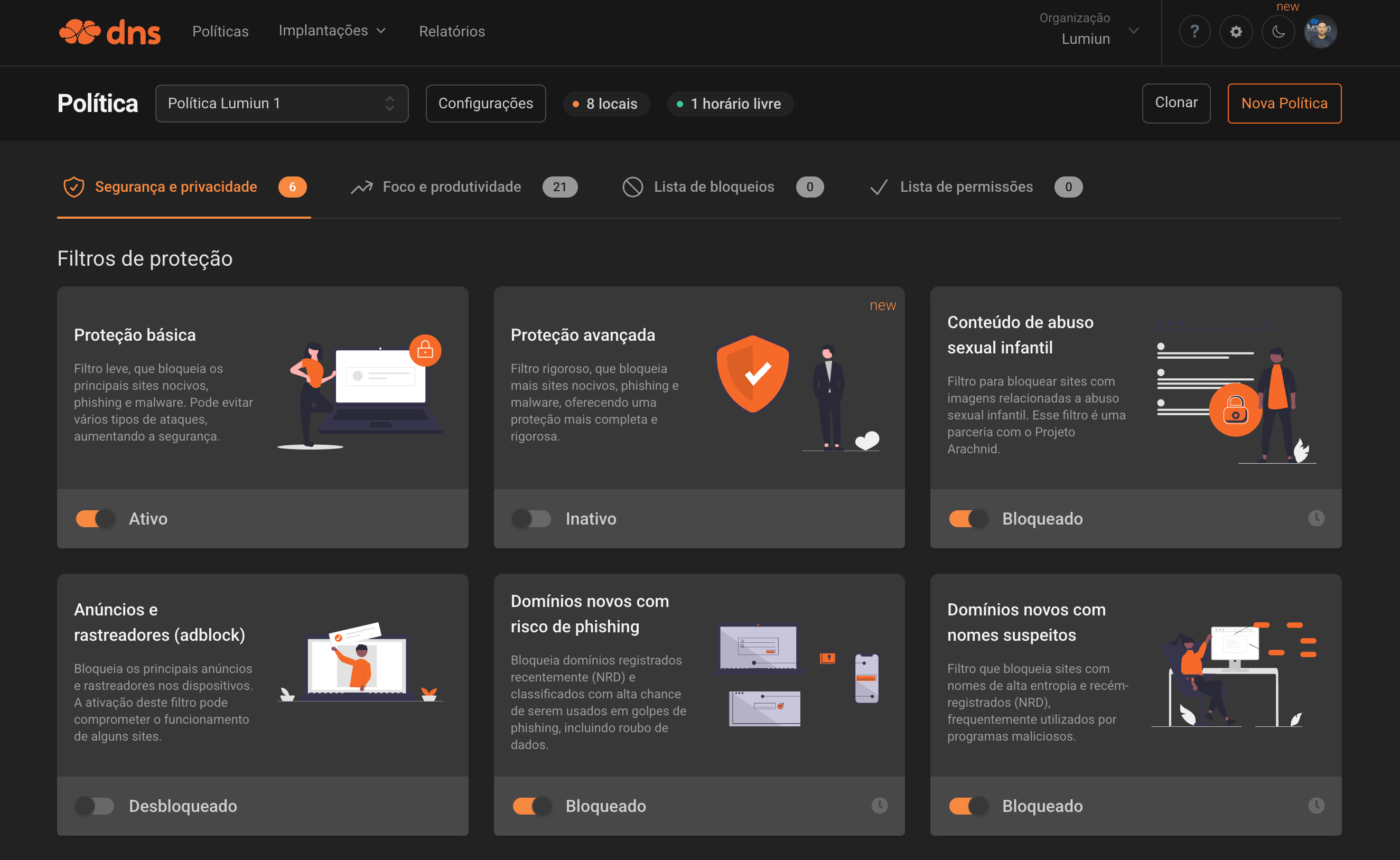
| Regular DNS | Lumiun DNS |
|---|---|
| Resolves domains for browsing | Resolves domains and applies security and browsing policies |
| Does not block website categories | Allows blocking categories such as games, gambling, adult content, social networks, and more |
| Does not help reduce phishing access | Helps block domains associated with phishing, malware, and ransomware |
| Little or no browsing visibility | Reports with accesses, blocks, domains, locations, devices, and groups |
| Rules depend on external manual configuration | Centralized dashboard management |
Lumiun DNS does not replace antivirus, firewall, or user training. It complements these layers by reducing the chance of accessing dangerous or unwanted destinations right at the DNS resolution stage.
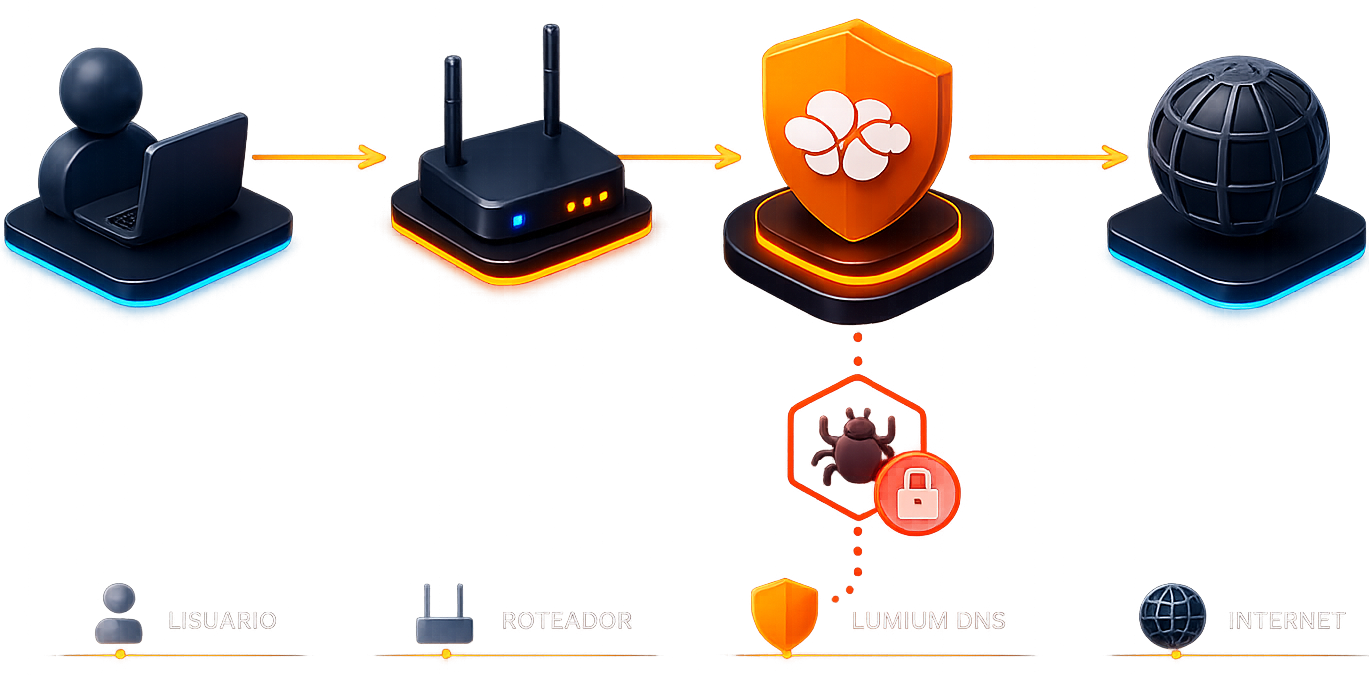
The 4 steps of the process:
The user tries to access a website
The device needs to query DNS to find out where it should connect.
Lumiun DNS checks the domain
Analyzes whether that domain is allowed, blocked, or associated with a threat.
The policy is applied
If allowed, access proceeds normally. If blocked, access is prevented.
The team monitors it through the dashboard
Accesses, blocks, domains, locations, and devices are available in the reports.
How the Lumiun DNS server works
When you point your network or device to Lumiun DNS, all domain queries pass through the security layer before access is granted. Lumiun DNS checks each domain in real time and applies the policies configured by the organization.
Works for different environments:
DNS Server
Combine filtros de segurança, produtividade e regras personalizadas para controlar o acesso à internet com precisão.
Security
Filtros para bloquear ameaças e domínios maliciosos.
Blocks harmful sites, phishing, and malware. This filter prevents various types of attacks, increasing security.
Blocks sites containing videos or images of child sexual abuse. This filter is in partnership with the Arachnid Project.
Bloqueia os principais anúncios e rastreadores nos dispositivos. A ativação deste filtro pode comprometer o funcionamento de alguns sites.
Domains frequently involved in unauthorized use of devices for cryptocurrency mining.
Blocks recently registered domains (NRD) and classified with high chance of being used in phishing scams, including data theft.
Filters sites with high entropy names and newly registered domains (NRD), often used by malicious programs.
Domains that are no longer controlled by the original owner or are for sale. The content of these sites may be misleading to non-technical users.
Blocks access to generative AI services that may pose risks of data leakage or misuse. Manually allow the services you want on your allowlist.


Enable SafeSearch on Google, Bing, and YouTube to keep adult content out of your search results.
Productivity and focus
Control distractions and inappropriate categories.
Social networks, messaging, games, video, music, shopping, news, sports, entertainment, and technology.
With a simple click, you can block adult content sites such as pornography and violence.
Blocks gambling and gaming websites, preventing potentially harmful and unregulated activities on your network.
Blocks websites, P2P protocols, streaming sites, and generic video hosting services used for illegal distribution of copyrighted content.
Free choice and controls
Customize blocks by lists and schedules.
Inclua domínios específicos ou importe listas completas para reforçar o filtro DNS com regras personalizadas.
Create periods when certain blocks can be lifted, such as breaks or outside business hours.
Need something different?
Add any domain manually, import ready-made lists, and combine exceptions by group or device.
DNS Server
Control employee browsing, reduce access to dangerous websites, and apply clear internet usage rules without relying on manual, site-by-site blocks.
Practical example:
Block gambling, adult content, and malicious domains for all users, allow specific marketing tools, and apply stricter rules on guest networks.
Create a safer and more appropriate browsing environment for students, teachers, and administrative staff.
Practical example:
Block adult content, games, malicious websites, and unprotected search engines, while keeping different policies for students, teachers, administration, and labs.
Offer DNS security and browsing filtering as a managed service for your clients, with centralized operations and standardized policies.
Practical example:
Create base policies for clients with similar profiles, track reports, and adjust rules according to each organization's needs.
DNS Server
With Lumiun DNS, the team can create access policies, configure filters, apply block and allow lists, track reports, and adjust browsing rules in a centralized dashboard.
This makes operations easier for IT teams, school managers, and MSPs that need to protect users without a complex administration workflow.
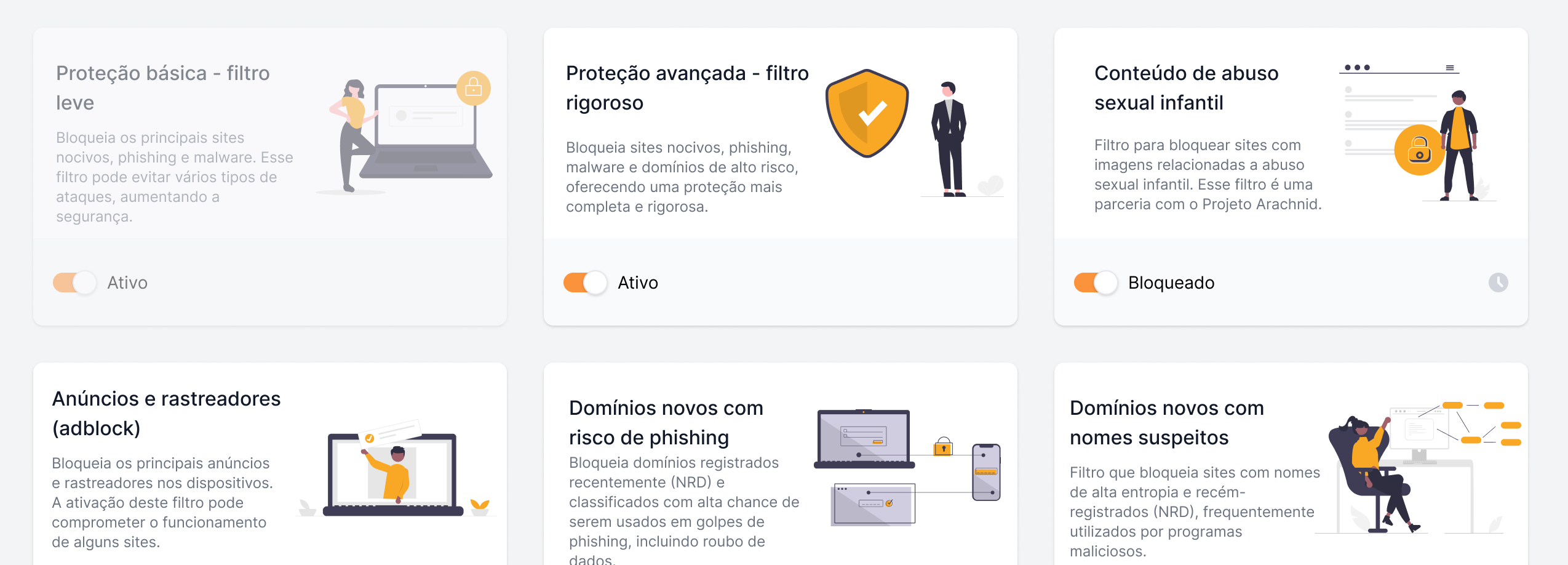
View accesses, blocks, domains, locations, and devices to understand how the internet is being used and where policies need adjustment.
DNS Server
Blocks or allows access based on the domain requested by the user.
Helps reduce access to phishing, malware, ransomware, botnets, and dangerous websites.
Allows combining security, productivity, application, list, and exception filters.
Block specific domains or allow exceptions needed for the organization's routine.
Create periods when certain blocks can be lifted, such as breaks or outside business hours.
Apply different policies by group or device, including remote teams with ActiveNet for Windows.
Organize deployment points such as headquarters, branches, Wi-Fi networks, labs, visitors, or MSP clients.
Track accesses, blocks, domains, devices, locations, and events in real time or by period.
DNS Server
Blocking malicious domains at the DNS layer helps reduce the chance of users reaching fake pages before the site loads.
Browsing policies help create a more suitable digital environment for students, teachers, employees, and visitors.
MSPs can offer browsing filtering and DNS security to clients with centralized management.
Category blocks, filters, and lists reduce the work of managing sites one by one.
Locations, groups, and policies help adapt rules to each department, branch, network, or client profile.
Create your Lumiun DNS account and see how to apply policies to block threats, website categories, and unwanted access using the DNS layer.
Ideal for businesses, schools, and MSPs that need to protect users and simplify internet control.
DNS Server
Register your organization and access the Lumiun DNS dashboard.
Define security filters, blocked categories, allowlists, blocklists, and rules according to the company, school, or client profile.
Configure Lumiun DNS on the desired site, network, device, or environment and track accesses and blocks through reports.
DNS Server
A DNS server is the system that translates website names into addresses used by devices to find services on the internet. Without DNS, users would have difficulty accessing websites using easy-to-remember names.
A secure DNS server adds a layer of protection to browsing. It can block malicious domains, phishing, malware, and unwanted website categories before access to the site begins.
Yes. Lumiun DNS acts as a DNS security and browsing filtering solution, allowing businesses, schools, and MSPs to use the DNS layer to block threats and control internet access.
Yes. Lumiun DNS allows blocking specific domains, website categories, and applications according to the browsing policies configured by the organization.
Yes, when it includes DNS security features. Lumiun DNS helps block domains associated with phishing, reducing users' exposure to fake pages and credential theft attempts.
No. Lumiun DNS complements other security layers. It acts before domain access, while antivirus, firewall, EDR, and other solutions operate in different layers.
Yes. Schools can use Lumiun DNS to block inappropriate content, games, malicious websites, and categories that are unsuitable for the educational environment.
Yes. MSPs can use Lumiun DNS to provide DNS security and browsing filtering to clients, with centralized management and policy enforcement.
Yes. The organization can use allowlists to permit specific domains when needed, including as exceptions to filters or blocked categories.
Yes. Lumiun DNS has reports and logs to track accesses, blocks, domains, locations, devices, and groups, helping the team review policies and diagnose browsing situations.
If this is not exactly the scenario you are looking for, review the other paths to understand where Lumiun DNS fits best in your operation.
For companies that need to restrict social media, gambling, streaming, or unproductive sites and keep rules by team, location, or schedule.
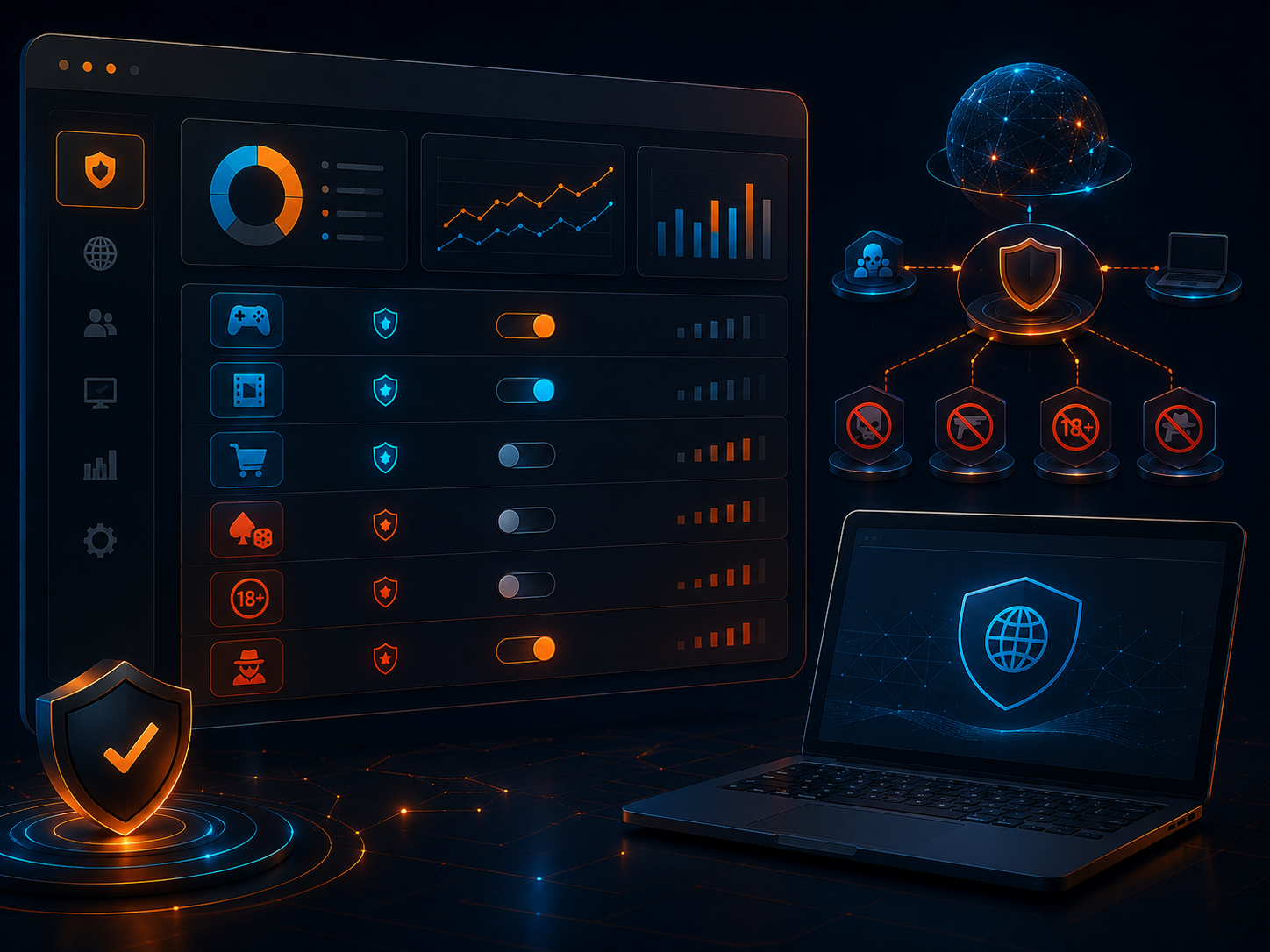
For teams that want to understand categories, lists, and browsing policies before deciding what to block and how to apply it in the operation.
Sign up for an account and get support from our analysts via email, chat, or WhatsApp for configuration and monitoring.
No credit card required
“It is like having an intelligent digital guardian that protects students, teachers, and the entire school network from harmful content and distractions, while keeping the focus on what truly matters: learning.”Read story
“The simplicity and effectiveness of Lumiun DNS transformed our approach to security and access control in schools.”Read story